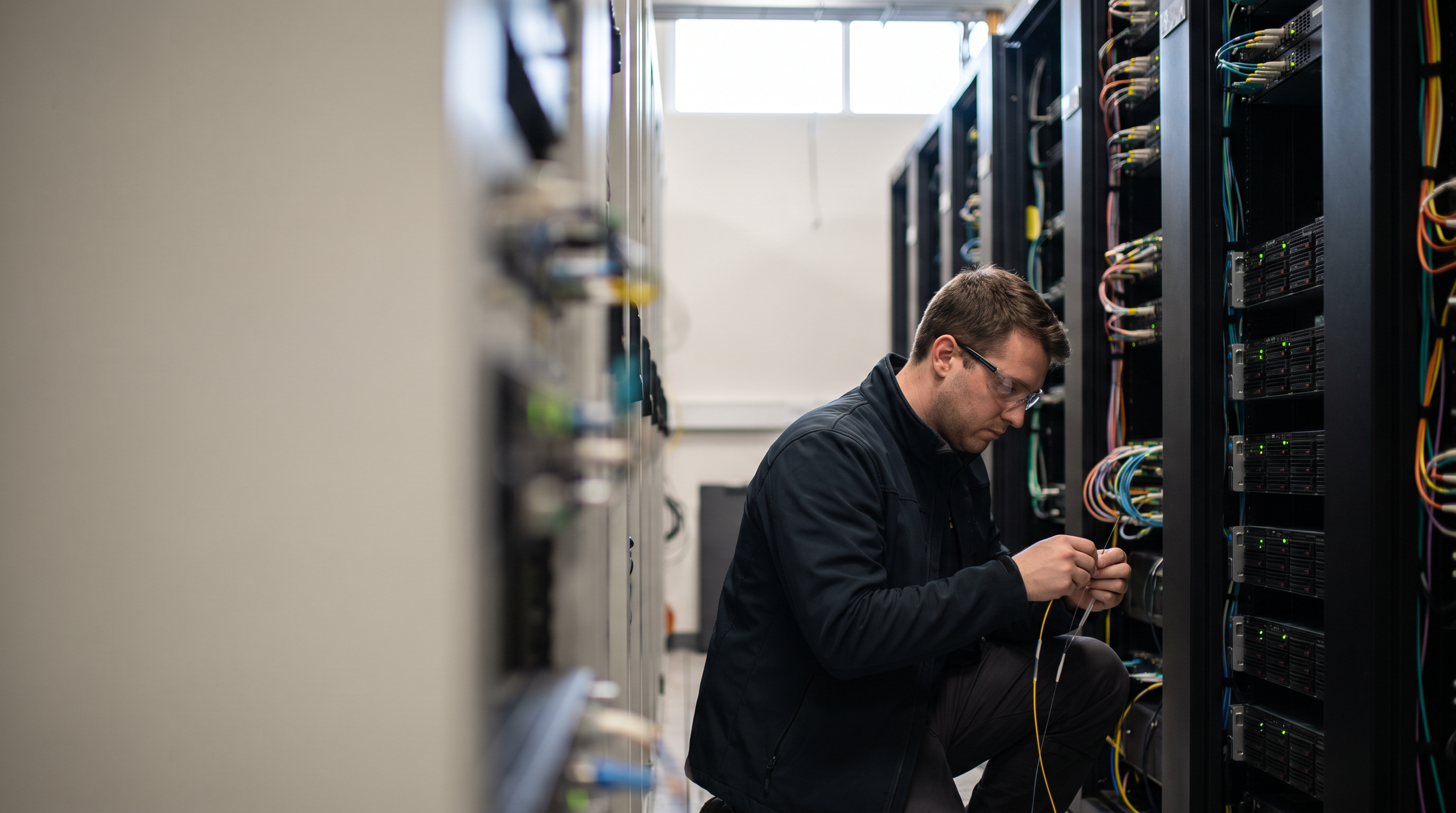
"Master data center fit-outs with our guide to IT infrastructure equipment rental. From scissor lifts to fiber optic installation, optimize your logistics today."
Related reading: How to Streamline Equipment Procurement for Multiple Job Sites Without Managing Separate Rental Agreements, How to Rent Storm Cleanup Equipment After a Hurricane in 2026, and How to Rent and Set a Commercial Generator in 5 Steps.


Get the latest GoDizel content delivered straight to your inbox
Learn how to consolidate equipment procurement across multiple job sites. Stop managing separate rental agreements and optimize your fleet management today.
Learn how to rent storm cleanup equipment effectively in 2026. Follow our guide to secure essential restoration tools and prevent long-term property damage.
Data center construction has crossed a threshold where IT contractors can no longer separate digital deployment from heavy equipment logistics — the two disciplines are now the same job.
Data center systems spending is projected to grow by nearly 35% in 2024, according to Gartner. That number isn't just a market signal — it translates directly into server halls being built on accelerated timelines, raised floors being retrofitted into existing facilities, and equipment rental for data centers becoming a core line item on project budgets that used to be purely IT-focused.
What's changed is the scope of the contractor's role. A decade ago, an IT infrastructure team coordinated network drops and rack placement. Today, that same team is sourcing telehandlers for rooftop CRAC unit placements, scheduling scissor lifts for overhead cable management, and managing floor-loading constraints that would challenge a structural engineer. The physical demands of modern infrastructure builds have outpaced the planning frameworks most IT contractors were trained on.
The industry has responded with a quiet but significant shift toward what practitioners now call Equipment-as-a-Service — the practice of renting specialized material handling and access equipment on project timelines rather than purchasing assets that sit idle between deployments. In practice, this means your rental mix changes with every phase of a build: groundwork, structural installation, rack deployment, and commissioning each require different machines and different capabilities.
This guide introduces the Task-to-Lift framework — a structured approach to matching each infrastructure task to the right equipment category, the right power type, and the right rental terms. Before applying that framework, though, you need a working command of the terminology that governs mission-critical jobsites. The next section covers exactly that.
Before you can spec the right equipment for a data center fit-out, you need to speak the language — because a terminology mismatch on a mission-critical site can cost you the contract.
Understanding a handful of key terms separates contractors who get called back from those who don't. These aren't obscure definitions. They're the vocabulary that connects your equipment choices to the facility's operational constraints — and they apply whether you're managing a full build-out or a warehouse Wi-Fi installation in a high-bay colocation environment.
Floor Loading
The maximum distributed weight a raised-access data center floor can support per square foot — typically rated between 100 and 250 lbs/sq ft — which directly determines whether a loaded telehandler or scissor lift can operate in a given zone without damaging the floor structure or the infrastructure beneath it.
Working Height vs. Platform Height
Working height is the maximum elevation a person can reach from a lift (generally platform height plus 6 feet), while platform height is the actual deck elevation — a distinction that's critical when sizing lifts for overhead cable tray runs or high-bay rack installs where the numbers need to match the ceiling clearance, not just the spec sheet.
Non-Marking Tires
Rubber tire compounds — typically white or gray — engineered to roll across polished concrete and raised flooring without leaving scuff marks or depositing debris, a non-negotiable requirement in finished data center environments where contamination control is tied directly to uptime guarantees.
Electric vs. IC (Internal Combustion) Power
The distinction between battery-electric equipment and gas- or diesel-powered machines is a hard operational boundary inside data centers, where combustion engines introduce carbon monoxide, exhaust particulates, and humidity that can trigger environmental alarms and violate facility air quality standards.
Choosing the right equipment classes isn't just a cost decision on these sites — it's a compliance decision. And with average colocation rates now at a record $184.06 per kW, facility managers have zero tolerance for equipment that disrupts the environment they're paying premium prices to protect. Getting these fundamentals right sets the foundation for understanding how equipment maps to each phase of a data center fit-out — which is exactly where we're headed next.
A data center fit-out isn't one job — it's four distinct phases, and each one demands a different class of equipment if you want to stay on schedule and off the incident report.
With 55% of data center workloads are expected to run off-premises, colocation operators are under constant pressure to turn raw shell space into live infrastructure fast. That compression of timelines is exactly what makes equipment selection so consequential. The wrong machine at the wrong phase doesn't just slow the job — it can damage racks worth six figures or force a full stop in an active facility.
Here's how the phases break down and what you'll actually need on the ground:
Structural Phase — Telehandler placement for heavy gear. Before a single cable gets pulled, the heavy iron goes in. Precision telehandlers are the standard choice for positioning server racks, UPS units, and large cooling equipment because they combine reach with fine load control. A rough-terrain forklift can't thread a 2,000-lb rack through a raised-floor cutout without risking floor tile damage. Telehandlers can.
Cabling Phase — Scissor lifts for overhead tray work. Installing cable tray in large-scale data halls is a sustained overhead operation — crews can spend days running ladder rack at heights of 18 to 24 feet. A 19' or 26' electric scissor lift keeps a two-person team at working height safely, with a stable platform wide enough for tools and tray sections.
Termination Phase — Personnel lifts for tight row access. High-density patching in fully populated rows requires vertical access in aisles that may be less than 36 inches wide. Compact personnel lifts — sometimes called push-around vertical lifts — are the only realistic option when a full scissor simply won't fit.
Testing Phase — Mobile workstations and specialized test equipment. Once terminations are complete, network validation begins. Portable cable certification gear, mobile test carts, and temporary power distribution units all need to move freely through the space. Plan the logistics of this phase early — cluttered aisles after cable pull are a real hazard.
That aerial work in the cabling phase is where most scheduling surprises happen, especially in facilities with ceiling heights pushing 30 feet or more — which is exactly what the next section covers.
Reaching a 30–40ft warehouse ceiling to mount access points or run low-voltage cabling is one of the most underestimated challenges in the data center fit-out process — and the wrong lift choice can stall an entire phase.
Calculating reach starts with the ceiling height plus your working clearance. A 35ft ceiling typically demands a platform height of 32–34ft once you account for overhead obstructions like conduit runs and sprinkler lines. That math narrows your equipment options fast, and it's worth confirming the numbers before the lift shows up on site.
The 32' scissor lift is the industry workhorse for this exact reason. It delivers the platform height most warehouse AP mounting jobs require, fits through standard loading dock doors, and keeps a compact footprint on the warehouse floor. For straightforward grid-pattern AP installations with clear vertical access, a scissor is almost always the right call — it's stable, efficient, and faster to reposition between drops than most contractors expect.
Boom lifts change the equation when existing racking systems block direct vertical access. Articulating booms are often the only option for reaching over production lines and rack structures without shutting down operations — a critical advantage in active distribution centers running 24/7 fulfillment cycles. The tradeoff is footprint: boom lifts require more floor clearance and demand tighter coordination with warehouse staff.
Safety protocols in live distribution centers add a layer of complexity that static job sites don't. At minimum, you'll need:
Spotter assignment any time a lift operates near active forklift lanes
Overhead load awareness — no tools or materials elevated above unsecured personnel
ANSI/SAIA A92 compliance checks on all aerial work platforms before deployment
Shift coordination with the facility manager to define safe working windows
The clearance requirements in active warehouses are demanding — but they're nothing compared to the spatial puzzle waiting inside a live data center's cold aisles. That's where equipment selection gets even more specific.
Working inside a live data center is one of the most equipment-constrained environments in construction — and the wrong machine choice can trigger a costly outage or permanently damage a raised floor system.
Cold aisles in modern data centers are typically just 36 inches wide. That's not a recommendation — it's a physical reality that eliminates most standard lift equipment before you even get through the door. Every piece of access equipment you bring in must be sized, powered, and weighted with that constraint in mind. United Rentals notes that data center construction demands "clean" equipment specifically to prevent contamination of sensitive electronics — a standard that further narrows your options.
Here are four equipment constraints you'll run into on virtually every live data center project:
Aisle width clearance: Standard scissor lifts (typically 32–36 inches wide) are the only viable option for cold aisle work; any wider and you're physically blocked before you lift a single tile
Emission and noise restrictions: Electric slab scissors are the default choice — zero exhaust, low noise, and no combustion byproducts that could compromise air-handling systems or set off sensitive environmental monitors
Raised floor protection: Rubber mats and load-spreading boards are non-negotiable; a 3,000 lb scissor lift concentrates weight in a way that can crack or deflect floor panels rated for far less point load
Single-operator access: Compact personnel lifts (man-lifts) give one technician the vertical reach for overhead cable management or ceiling-mounted sensor work without requiring a second ground operator
Pro-Tip: Always request the data sheet for any lift you plan to use and verify the ground bearing pressure against the raised floor manufacturer's load rating — not the general floor spec. They're different numbers, and the gap between them is where floors get damaged.
What typically happens on well-run projects is that the site's fit-out manager pre-approves a short list of electric lift models before mobilization starts, eliminating last-minute substitutions that delay work. That same discipline applies when you're planning industrial fiber optic installation routes that extend beyond the building envelope — where the equipment challenges shift from tight aisles to open-trench logistics.
Campus fiber runs and inter-building connectivity are where data center construction gets seriously equipment-intensive — and where the wrong machine choice adds days of rework and remediation costs.
Global data center trends show a massive increase in campus-style developments requiring extensive inter-building fiber, which means more contractors are facing long outdoor pulls, urban bore-throughs, and meticulous site restoration. The planning starts well before a single conduit hits the ground.
Equipment selection between mini-excavators and dedicated trenchers depends primarily on run length, soil conditions, and how much collateral disruption you can tolerate. Trenchers cut faster on straight runs through uniform soil, but they're unforgiving around existing utilities. A compact excavator gives you far more control near congested underground infrastructure — and the bucket lets you manage spoil placement in tight campus corridors.
Directional drilling changes the equation entirely in urban environments. Horizontal directional drilling (HDD) rigs allow contractors to bore under streets, parking structures, and landscaping without open-cut disruption. Rental HDD units range from compact, walk-behind machines for short urban crossings to mid-frame rigs capable of 500-foot bores under roadways. Knowing your bore diameter and conduit count before you source the machine saves a return trip.
Site restoration is the phase that gets underestimated. After burial, you're managing compaction testing, surface matching — asphalt, concrete, or landscaping — and often coordinating with municipal inspectors before the job closes. Budget restoration equipment time into your rental period, not as an afterthought.
Cable pullers and powered winches handle the heavy reality of long-haul backbone runs inside large facilities. For runs exceeding a few hundred feet through conduit — especially where low voltage wiring in high ceilings or raised-floor pathways adds bends and friction — manual pulling simply isn't practical or safe for the cable. Rental-grade tuggers with tension metering protect the fiber and keep you within bend-radius specs.
Intermediate assist points matter on complex routes. Placing a secondary pulling winch mid-run reduces tension loads on the cable jacket and lets a smaller crew manage pulls that would otherwise require a full team at each end.
With backbone cabling addressed, the next critical layer is the infrastructure that keeps the facility energized and climate-controlled — which means an entirely different category of heavy equipment enters the picture.
MEP contractors on data center projects carry the heaviest equipment burden on site — and getting temporary power, cooling placement, and electrical testing wrong doesn't just cause delays, it can compromise the entire commissioning timeline.
The mechanical, electrical, and plumbing scope on a data center build is relentlessly equipment-intensive. Atlas Copco notes that temporary power and compressed air are critical requirements during the commissioning phase — which means high-capacity generator rentals aren't optional. They're the foundation everything else runs on. In practice, a single generator failure during a live commissioning test can set a project back days.
Here's how the core equipment needs break down across the MEP phase:
Equipment Type
Primary Use Case
Key Spec
High-capacity generators
Temporary site power and commissioning loads
500 kW–2 MW+, depending on IT load
Telehandler
Positioning CRAC units and precision air handlers
6,000–10,000 lb capacity, 42'+ reach
Forklift
Battery string and UPS cabinet installation
Electric or LP, 5,000–8,000 lb capacity
Load bank
Testing electrical redundancy under simulated load
Resistive, 500 kW–2 MW+
32' scissor lift
Overhead cable management and ceiling-level MEP work
32' platform height, narrow-chassis models
Positioning is where telehandlers earn their rental cost. CRAC units can weigh several tons, and they need to land within inches of their mechanical connections. A telehandler with precise boom control handles that where a standard forklift simply can't reach or maneuver safely.
Load bank testing is the step contractors sometimes underestimate. You're simulating full IT load before a single server goes live — and that requires rental load banks sized to match the facility's redundancy architecture, typically N+1 or 2N configurations. Getting this right the first time is non-negotiable for handoff.
The full inventory picture for a data center project goes well beyond MEP scope. The next section breaks down the complete rental equipment list — from aerial platforms to earthmoving gear — so you can plan procurement across every phase.
Every data center project draws from the same core rental categories — aerial, material handling, earthmoving, and power — and knowing what you need before the bid closes is what separates organized crews from reactive ones.
Rental providers like Herc Rentals categorize data center equipment into distinct segments precisely because these projects pull from so many equipment types simultaneously. Use the checklist below during your planning phase to confirm you've covered every category.
Aerial Work Platforms
Scissor lifts — If you need to rent a scissor lift for overhead cable tray installation or raised-floor access, electric models are typically required inside live or semi-live facilities to avoid exhaust contamination
Boom lifts — Articulating and telescopic booms handle exterior façade work, roof penetrations, and high interior spaces where a scissor can't reach
Personnel lifts — Lightweight push-arounds for confined server hall work where clearances are tight
Material Handling
Telehandlers — Essential for placing rooftop CRAC units, generators, and prefabricated modules; confirm reach and load capacity before the lift
Forklifts — For loading docks, UPS battery bank staging, and moving racked equipment
Pallet jacks — Low-tech but non-negotiable for server row staging inside raised-floor environments
Earthmoving
Mini-excavators — Trench work for conduit runs and underground fiber; compact footprint matters on tight urban sites
Skid steers — Site prep, grading around pad-mounted equipment, and backfill after conduit placement
Power and Climate
Generators — Temporary and redundant power during switchgear commissioning; load banks validate generator performance before the facility goes live
Portable AC units — Critical during fit-out when permanent cooling isn't yet operational; Trane's rental cooling resources outline capacity planning considerations worth reviewing
Load banks — Resistive load banks test UPS systems and generators under real demand before handover
Once you've matched equipment categories to your project phases, the next variable that'll make or break your budget is what all of it actually costs — and how rental pricing structures can quietly erode your margins if you're not watching closely.
Rental costs on a data center build can quietly consume project margins if you don't understand exactly what you're paying for — and why.
Rate structures vary significantly depending on project duration. Daily rates work for quick equipment swaps, but they're the most expensive way to rent a lift, a telehandler, or a generator over a multi-week timeline. Weekly and monthly rates typically offer 30–50% savings compared to rolling daily rates, which makes them the practical default for infrastructure builds that run 6 to 24 months. Lock in monthly pricing as early as possible — rental companies often adjust availability and rates as regional demand shifts.
Delivery and pickup fees are where many project budgets quietly leak. A single piece of heavy equipment can carry $500–$1,500 in transport costs each way depending on distance and machine weight. On a project with frequent equipment swaps, those fees compound fast. In practice, batching deliveries and coordinating returns during the same trip can meaningfully protect your margin.
Hidden cost #1 — Fuel surcharges: These appear as line items separate from your base rate and fluctuate with market conditions. Always ask for the current surcharge percentage before signing a rental agreement.
Hidden cost #2 — Damage waivers: Rental companies typically offer optional damage protection at 10–15% of the daily rate. Declining it shifts full liability to you. Read your general contractor insurance policy before deciding.
Hidden cost #3 — Extended shift fees: Equipment rented for standard 8-hour shifts often carries penalty rates for 10- or 12-hour workdays — common on accelerated data center timelines.
Budgeting for competitive bids means building these line items in from the start, not absorbing them as surprises post-award. As Equipment Finance News notes, the infrastructure boom is pushing contractors to trade CAPEX for OPEX — which makes understanding the full rental cost picture essential, not optional. You can also explore how rental companies structure their pricing to better anticipate what vendors are working with on their end.
Managing this complexity manually — calling yards, negotiating line by line — adds hours your team doesn't have. That friction points directly to a smarter way to procure equipment from the start.
The traditional model of calling rental yards one by one is the single biggest source of avoidable delay on a data center build — and digital marketplaces are the direct fix.
The "calling yards" problem is well understood by anyone who's sourced equipment under a deadline. You call five yards, leave three voicemails, get two quotes with different line items, and still don't know what's actually available until someone calls back. On a mission-critical project where schedule slippage carries real financial consequences, that process is a liability.
Digital marketplaces address this with a fundamentally different model. Instead of sequential phone calls, you get real-time visibility across thousands of machines from multiple suppliers simultaneously. That shift — from serial to parallel sourcing — compresses what used to be a half-day task into minutes.
Here's how the two models compare directly:
Factor
Traditional Rental
Digital Marketplace
Availability check
Call each yard individually
Real-time inventory across 4,000+ machines
Pricing
Verbal quotes, inconsistent line items
Transparent rate comparison in one view
Booking
Phone, fax, or email confirmation
AI-assisted booking with instant confirmation
Logistics tracking
Follow-up calls to confirm delivery
Centralized dashboard with visibility at every stage
Invoice reconciliation
Multiple vendors, multiple formats
Consolidated billing, fewer discrepancies
AI-assisted booking goes beyond simple search. It helps match equipment specs to project requirements — flagging, for example, whether a lift's platform height clears your working ceiling or whether a machine's tire type suits an indoor fit-out phase. That kind of spec-matching, done manually, is where oversights happen.
Logistics visibility is where procurement gains compound. Knowing exactly where equipment is in the delivery chain lets site supervisors adjust crew scheduling and avoid the idle-time costs that erode project margins. In practice, reduced downtime is less about having more equipment and more about having better information.
As you pull these procurement habits together, the tactical decisions around lift specs, aisle constraints, and equipment classification become much easier to standardize — and that's exactly what the key takeaways ahead will help you lock in.
Before you confirm a single rental order on a data center build, these four rules will save you from the site-access delays, invoice surprises, and equipment swaps that derail mission-critical schedules.
Throughout this guide, we've worked through the full rental stack — from temperature management and power continuity to lift selection, narrow-aisle navigation, and cost control. The principles below distill that into four actionable rules you can apply on every infrastructure project, regardless of scope.
Match lift height to actual working height. Always add at least 6 feet to the warehouse ceiling's stated working height when specifying platform height. Overhead cable trays, HVAC ductwork, and server rack tops consistently eat into clearance. Undersizing the lift means a costly mid-project swap and lost schedule days.
Specify electric, non-marking equipment for all indoor fit-out phases. Diesel or LP-powered equipment produces exhaust and vibration that's incompatible with sensitive IT environments. Non-marking tires protect raised flooring and meet the cleanliness standards most facility managers enforce. As Encor Advisors notes, the interior environment of a functioning data center is tightly controlled — your equipment choices have to respect that.
Centralize procurement under one point of contact. Fragmented orders across multiple rental yards multiply delivery fees, create invoice discrepancies, and make equipment tracking nearly impossible. One consolidated order — ideally through a digital marketplace — gives you a single paper trail and real leverage on bundled pricing.
Plan for narrow-aisle constraints before mobilization. Aisle widths inside active data centers are often 36 to 48 inches. Equipment that looks adequate on a spec sheet may not clear cable management systems or open cabinet doors. Confirm aisle measurements during the site walk, not after the truck arrives.
And when you're ready to put these rules into practice on your next build, the following section outlines the starting point.
The contractors who finish data center builds on time aren't lucky — they've replaced reactive, phone-based sourcing with a structured workflow that puts pricing and availability in front of them before the first truck rolls.
The Task-to-Lift strategy covered throughout this guide gives you that structure. Match each phase — civil groundwork, mechanical installation, commissioning, and close-out — to the specific equipment category it demands. Don't pull a telehandler onto a site that needs a scissor lift inside an existing raised-floor environment. Don't rent a trencher before you've confirmed utility clearances. Sequencing rental decisions to construction milestones is how you eliminate the idle-equipment charges that quietly inflate project budgets.
The practical starting point is seeing real numbers before you pick up the phone. Dizel's marketplace provides upfront pricing that includes delivery and protection fees, so you're not reverse-engineering costs from a quote that arrives two days after you needed it. You browse, compare, and confirm — without unexpected costs from hidden add-ons.
From here, the next step is going deeper on the specific categories that drive the most questions on data center sites. Scissor lifts for overhead cable tray work and trenchers for exterior conduit runs each carry their own rental logic — rate structures, weight-load considerations, timing relative to concrete cure schedules. Exploring dedicated guides for those categories will sharpen your cost estimates and help you ask better questions when you're talking to a supplier.
The rental market for mission-critical infrastructure is moving fast. Modernizing your workflow is essential to remain competitive — it becomes the baseline. Start with the next equipment search you need to run, and run it differently.